 SEMIPTV
An IPTV player for the Fire TV Stick
SEMIPTV Pro is built for the remote. Every page works with the arrow keys and OK, nothing needs a mouse. Even on older sticks with 1 GB of memory the channel list stays smooth, because the app loads large playlists in the background.
No account and no payment details needed for the trial. The app contains no channels: you use your own access.
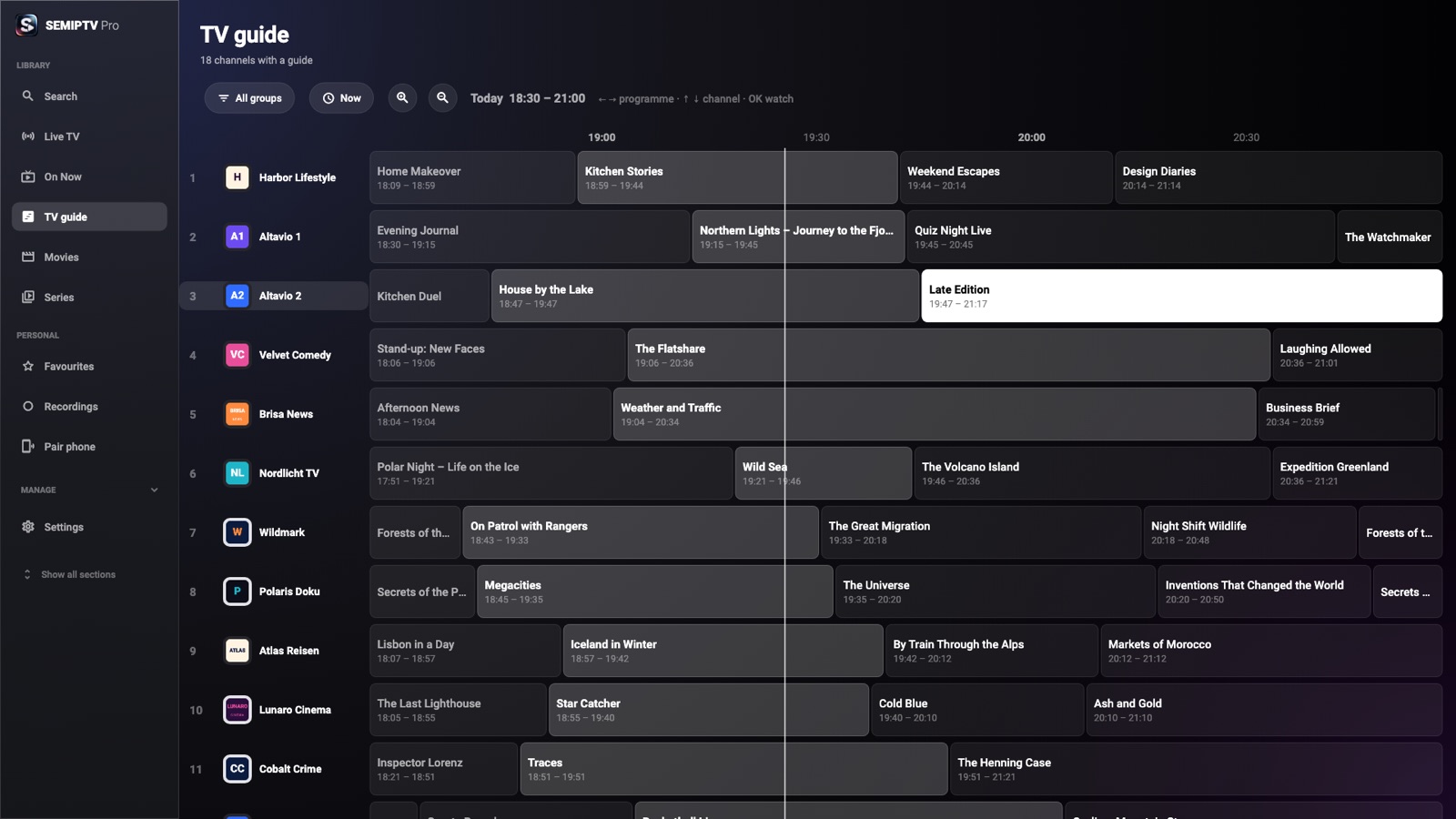
Screens from the app with demo content
Installed in two minutes
Install the free “Downloader” app from the Amazon Appstore, allow it to install apps in the developer options, enter code 3728546, then “Install” and “Open”. Step-by-step instructions are on the download page.
Set up without typing
Instead of typing a server address and password with the remote, scan the QR code on the TV with your phone and enter your access there. The data is encrypted on the phone.
Like a set-top box
In compact view the stick starts right in the live picture. Up and down change channels, number keys pick a channel number, OK opens the channel list.
Pay once. No subscription.
Trial
- No account, no payment details
- Every feature unlocked
- Playlists and settings stay
Full version
- The licence never expires
- Move devices on your own licence page
- Updates included
Under § 19 of the German VAT Act no VAT is charged. Payment via PayPal.
Questions
Are channels or movies included?
No. SEMIPTV Pro is a player. You need your own access from a provider of your choice. We do not sell or arrange access. Only use access you have the rights to.
Which playlists work?
M3U and M3U8 as link or file, Xtream API logins and XMLTV for the guide. Playback covers HLS, TS, MP4, MKV and the usual formats. MAC-address portals are not supported.
Do I need an account?
No. The licence is tied to the device. After buying you get a licence key and a link to your licence page, where you manage your devices.
What happens after 7 days?
Playback pauses until you buy a licence. Your playlists and settings stay.